
Ring several people when a number is called
A line nobody owns, like the front desk or sales, should ring the whole team so the first free person picks up. There are two ways: add people straight to the number, or make a ring group you can reuse anywhere. This walks through both for Northwind’s front desk. You need the phone system from Freesbe and to be an owner, admin or Phone admin.
The quick way: more people on the number
Section titled “The quick way: more people on the number”Open the Admin Center, then Phone → Numbers, and click the number. Under Incoming calls, choose the first person in Rings, then Also ring to add more, up to 20. Everyone’s phone rings together and the first to answer takes the call. The × next to a name stops ringing them. If nobody answers, the call goes to the first person’s voicemail.
That’s enough for one number. If you’ll want the same team on a phone menu key, a call queue’s overflow or a Call us link too, make a ring group instead, so you pick the people once.
The reusable way: a ring group
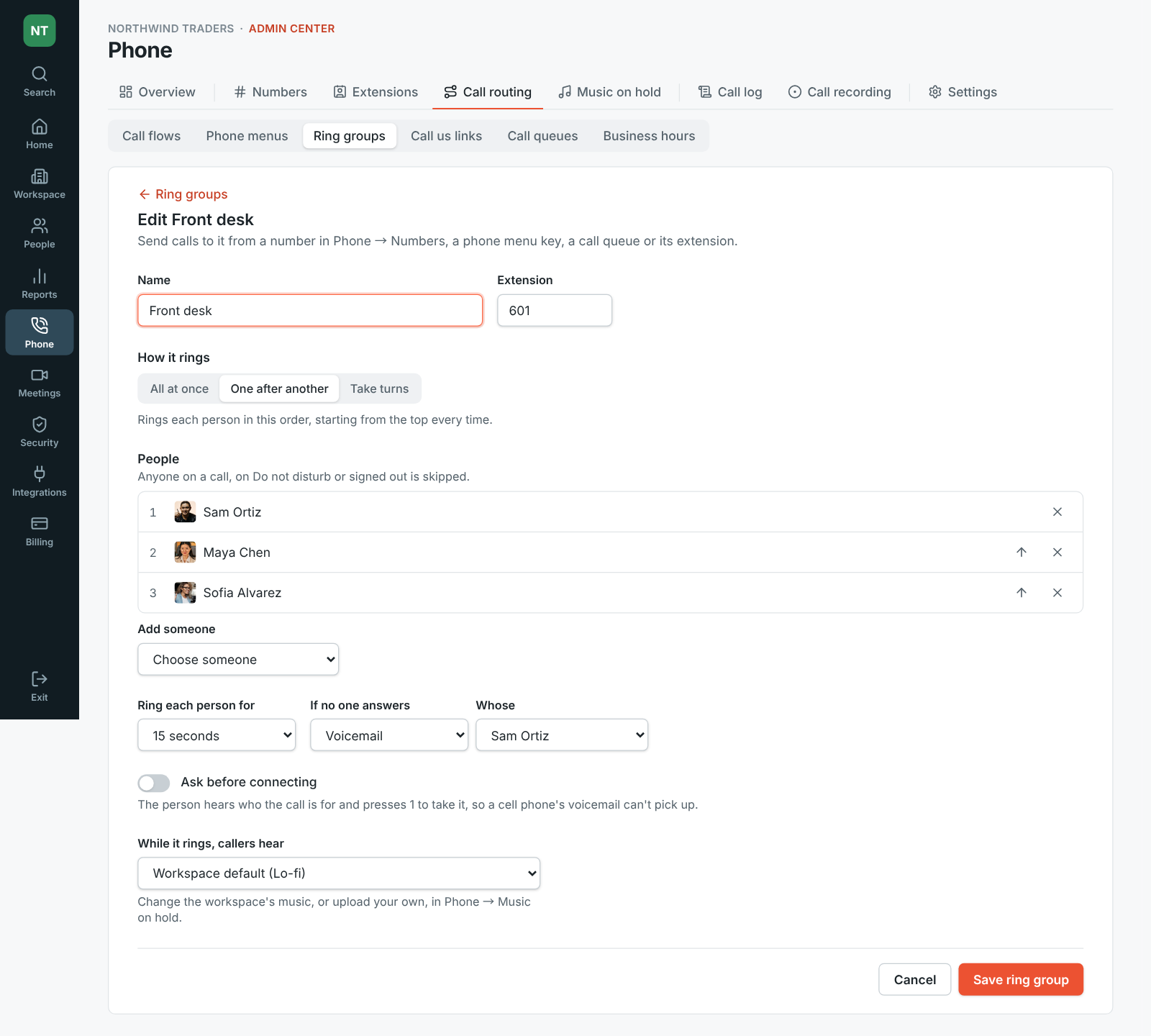
Section titled “The reusable way: a ring group”- Open Phone → Call routing → Ring groups and click Add a ring group. Give it a Name, like Front desk, and an Extension if colleagues should be able to dial it (like 601).
- Choose How it rings:
- All at once: everyone rings, and the first to answer takes the call.
- One after another: each person in the list’s order, starting from the top every time. Put the main person first with the arrows.
- Take turns: each person in order, starting with the person after whoever answered the last call, so calls are shared out.
- Under People, Add someone for each person, up to 50. Anyone already on a call, on Do not disturb or signed out is skipped.
- Set how long it rings: Ring for with All at once, or Ring each person for when people ring in turn.
- Under If no one answers, choose where the call goes: someone’s Voicemail, a call queue, a phone menu, another ring group, or Hang up.
- If someone on the team forwards calls to a cell phone, turn on Ask before connecting: each person hears who the call is for and presses 1 to take it, so a cell phone’s own voicemail can’t grab the call.
- Under While it rings, callers hear, keep Workspace default for your music on hold, pick another track or your own upload, or choose Ringing. Click Save ring group.
Send calls to the group
Section titled “Send calls to the group”- A number: open it in Phone → Numbers and choose the ring group under Answers with.
- A phone menu key: pick Ring group for the key. See Build a phone menu.
- A call queue’s overflow, a Call us link button, or a step in a call flow: pick Ring group there.
- Colleagues: they dial the group’s extension from the keypad.
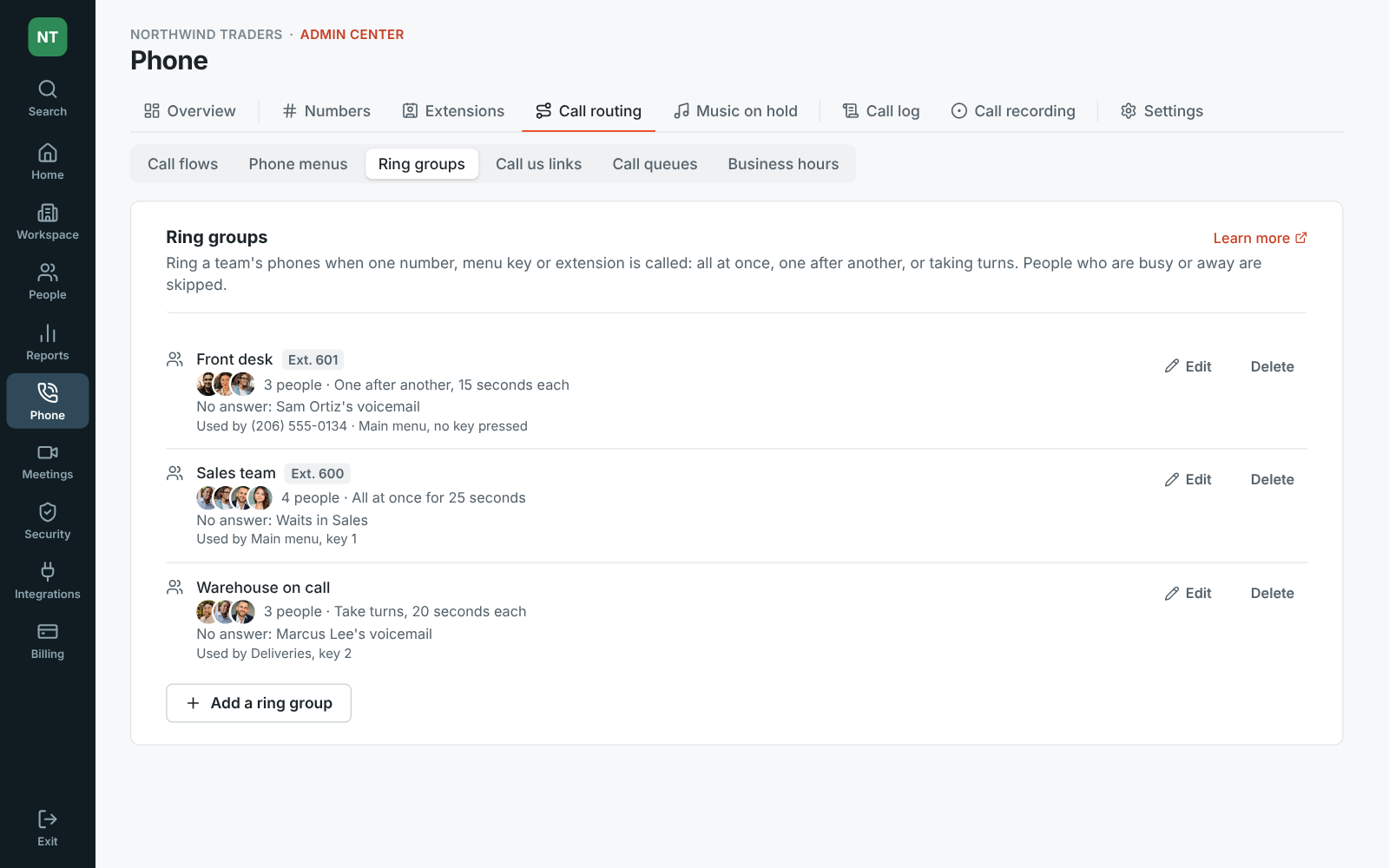
Each ring group lists what uses it, and can’t be deleted until nothing does.
- A person’s own Follow-Me settings don’t apply to calls to a number that rings several people: the admin’s settings for that number decide. A desk phone rings along with the apps.
- When the whole team is away, calls shouldn’t ring forever. Pair the group with business hours on the number, and send If no one answers to a voicemail that someone checks.
- For a line where callers should wait in line rather than ring out, a call queue is the better fit.
See Ring groups for every setting.
Answers come from the Freesbe guides and are written by AI, so check the linked guide before relying on one. Please don't include personal details such as emails or passwords.